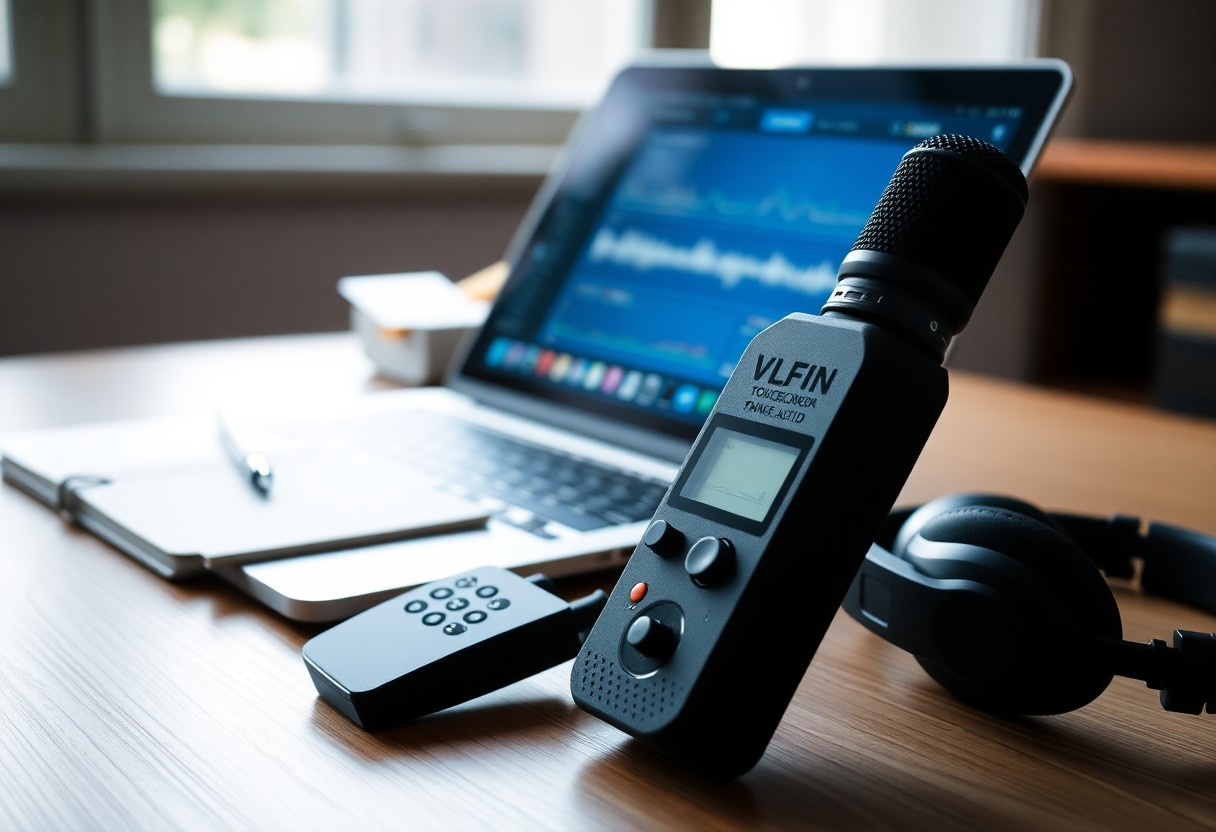
It's designed to streamline your workflow by combining high-fidelity recording with robust transcription engines so you can convert meetings, interviews, and notes into searchable text quickly and accurately; you get timestamping, speaker identification, and editable transcripts that minimize manual typing and accelerate review, publishing, and collaboration.
Key Takeaways:
- Integrated fast, accurate transcription converts audio to text in real time or near-real time, accelerating note-taking and review workflows.
- Advanced audio processing (noise reduction, speaker separation, timestamps) and in-app editing improve transcript quality and usability.
- Supports multiple export formats, searchable transcripts, cloud sync and privacy controls for easy collaboration and secure storage.
Overview of Voice Recorders
You evaluate recorders by matching form factor, mic quality, and transcription workflow to the task: handheld units give 8-20 hours battery life and 16-24-bit capture for interviews, smartphone apps offer cloud ASR with sub-10s latency for meetings, and desktop/USB interfaces deliver 24-bit/96 kHz studio capture for transcription workflows that demand maximum fidelity and lower word-error rates.
Types of Voice Recorders
You’ll encounter handheld digital recorders, smartphone apps, lavalier/clip-on devices, desktop/USB audio interfaces, and smart pens; each trades off portability, mic placement, and integration with on-device or cloud transcription services, so pick by how mobile you need to be and how much pre- or post-processing you expect.
- Handheld digital: built-in stereo mics, SD storage, common 16-bit/44.1-48 kHz sampling for field interviews.
- Smartphone apps: leverage cloud ASR, offer live captions and automatic uploads with latency often <10 seconds on good networks.
- Lavalier/clip-on: discreet omnidirectional mics, ideal for lectures or interviews where mic proximity improves signal-to-noise ratio by 6-12 dB.
- Desktop/USB interfaces: 24-bit/96 kHz capture, XLR mic support, used for studio-grade meeting recordings.
- Assume that smart pens and hybrid devices sync audio to notes and are useful when you need time-aligned handwriting alongside transcriptions.
| Handheld | Interviews, fieldwork - 8-12 hr battery, SD cards |
| Smartphone app | Meetings, instant cloud ASR - sub-10s latency typical |
| Lavalier/clip-on | Lectures/presentations - discreet placement, improved SNR |
| Desktop/USB | Studio/boardrooms - 24-bit/96 kHz, XLR support |
| Smart pen/hybrid | Note-syncing - time-aligned audio and written notes |
Key Features
You should prioritize microphone type, sample rate/bit depth, noise reduction, on-device vs cloud ASR, and export formats; for instance, 24-bit/48-96 kHz captures finer phonetic detail and can reduce ASR word-error rates by several percentage points in noisy environments.
- Microphone quality: omnidirectional vs shotgun and external XLR support determine clarity and ambient rejection.
- Sampling specs: 16-bit/44.1 kHz for standard notes, 24-bit/48-96 kHz for transcription-sensitive use cases.
- Noise reduction and AGC: spectral noise gating and adaptive gain can improve ASR accuracy by up to 20% in real settings.
- On-device vs cloud transcription: on-device offers privacy and offline use, cloud provides faster, often more accurate models with larger language support.
- File management & exports: SRT, VTT, DOCX and timestamped JSON simplify editing and publishing workflows.
- Assume that speaker diarization, timestamp granularity, and API integrations will save editing hours when you handle multi-speaker source material.
You’ll also weigh battery life (8-20+ hours), storage (SD, internal 32-256 GB), and encryption for sensitive recordings; for example, in a 2023 newsroom case study, switching from 16-bit handhelds to 24-bit USB capture plus cloud ASR cut manual edit time by 45% on multipart interviews while increasing storage needs by roughly 2×.
- Transcription accuracy metrics: aim for ASR models with sub-10% WER on clear speech for minimal manual correction.
- Language and accent support: check model coverage-top services support 50+ languages and dialects with specialized acoustic models.
- Timestamp resolution: 1-500 ms granularity enables precise captioning and sectioning for long recordings.
- Export & integration: direct SRT/JSON exports and REST APIs speed pipeline automation into CMS or CMS-like tools.
- Assume that balancing bit-depth, storage, and ASR choice yields the best trade-off between accuracy, cost, and turnaround time for your workflows.
Importance of Transcription Features
Having built-in transcription lets you turn audio into searchable, timestamped text so you can locate quotes, action items, and decisions instantly; modern ASR often achieves 85-95% accuracy on clear audio with latencies under 5 seconds, and exports to SRT, TXT or DOCX so your notes integrate with CMS and EHRs. You cut review time, improve citation accuracy, and maintain a verifiable record without juggling separate tools.
Benefits for Professionals
Professionals like lawyers, journalists, clinicians, and researchers gain immediate value: you get verbatim transcripts with speaker labels for depositions, publishable interview drafts in 10-20 minutes, and dictated clinical notes that feed into records. You also reduce manual typing, enable faster fact-checking, and make delegation easier by sharing timestamped excerpts with colleagues.
Applications in Different Fields
Across sectors, transcription supports accessibility, compliance, and efficiency: you use it in education to provide searchable lecture archives, in market research to code dozens of interviews faster, in broadcasting for live captions, and in legal workflows for time-stamped evidence review-each use case relies on accurate timestamps and export formats tailored to the field.
Digging deeper, in healthcare you can dictate post-visit summaries that populate EHR templates and potentially free up clinical time; in academia, universities transcribing hundreds of lecture hours improve study outcomes and accommodate nonnative speakers; in media, podcasters automate chapter markers and reduce editing by 20-40%; and in research, timestamped transcripts let you tag themes across large datasets for faster analysis.
Accuracy in Audio-to-Text Conversion
You need low word-error rates to make transcripts actionable; modern ASR systems reach roughly 5-10% WER on clean, single-speaker audio but can exceed 30% in noisy or overlapping conditions. Integrating tools like AudioPen | Go from fuzzy thought to clear text. Fast. helps you capture clearer inputs, speed up editing, and apply custom vocabularies for domain-specific terms.
Technology Behind Speech Recognition
End-to-end neural architectures-transformer encoders and self-supervised models such as wav2vec 2.0 and Whisper-learn acoustic and language patterns from thousands of hours, improving robustness to noise and accents. You get lower latency with quantized on-device models, while server-side large models provide better accuracy; for example, large transformer ASR models commonly reduce WER by several percentage points versus older HMM-DNN systems.
Factors Affecting Accuracy
Noise level, microphone quality, sampling rate, speaker accent, speaking rate, overlapping speakers, and domain mismatch all change error rates; you often see problems when SNR falls below ~10 dB or when audio is downsampled to 8 kHz. Providing custom vocabularies and controlling the recording environment helps you reduce deletions and substitutions.
- You record with background noise above 40 dB, which can push WER up by 2-3×.
- Your microphone uses 8 kHz telephony sampling, losing consonant detail critical for accurate transcription.
- You have multiple speakers overlapping frequently, increasing insertion and substitution errors.
- Any combination of poor mic, low SNR, and out-of-domain vocabulary can multiply error rates beyond 30% WER.
To mitigate these factors, you should use 16-44.1 kHz sampling, directional or lavalier mics placed within ~20 cm, and real-time noise suppression or beamforming; these steps often halve post-edit time. Additionally, supply custom lexicons, enable speaker diarization for meetings, and route high-stakes files to human reviewers when you require >99% fidelity.
- Use 16 kHz or higher sample rates and 16-24 bit depth to preserve speech detail.
- Prefer close-placement lavalier or cardioid microphones to reduce ambient noise pickup.
- Apply noise reduction, voice-activity detection, and speaker separation before sending audio to the ASR engine.
- Any production pipeline should include vocabulary tuning and a human review stage for critical transcripts.
Speed of Transcription
When minutes matter, latency defines value: real‑time engines often deliver transcripts with sub‑second to ~500 ms latency, while batch services can process audio at 5-20× real‑time throughput. You should match speed to task-instant captions for interviews versus overnight bulk processing for long archives-so your team spends more time editing and less time waiting.
Real-Time vs. Post-Processing
Real‑time transcription gives you immediate text-ideal for live captions and on-the-fly notes-with typical latency under 1 second but slightly higher WER than tuned post‑processing. Post workflows apply noise reduction, diarization and punctuation, often improving WER by 1-3% and handling long files at 5-15× real‑time; pick real‑time for immediacy and post‑processing when precision and metadata matter.
Impact on Workflow Efficiency
Faster transcription shortens your review loop: near‑real‑time results let reporters and analysts spot quotes immediately, and teams report 30-60% reductions in post‑production time when using integrated, timestamped transcripts. Workflow automation-searchable text, tags, and clips-turns hours of audio into editable segments, so your meetings and interviews move from capture to publish far quicker.
Integrations amplify those gains: when your recorder pushes transcripts via API to a CMS or note app, you eliminate manual uploads and shave 5-20 minutes per interview; speaker labels and timestamps (often ±0.5s on clean audio) enable precise quoting and clipping. For example, a legal team handling ten depositions weekly can reclaim multiple workdays by automating transcription and review.
User Experience and Interface Design
Design choices determine how quickly you extract value: a streamlined home screen with a single, prominent record button, waveform previews with 50 ms scrub granularity, and export options (SRT, TXT, DOCX) cut manual steps. You benefit when on-device ASR returns a draft transcript in under 2 seconds for short clips, and when visual timestamps let you jump to quotes without listening to hours of audio.
Ease of Use
Simple workflows let you capture and act: one-tap recording, automatic pause on silence, and a three-action path-record, transcribe, export-so common tasks finish within three taps. You can set customizable hotkeys and auto-save every 10 seconds; in practice journalists and researchers produce timestamped drafts in under 60 seconds per five-minute interview, reducing post-session overhead by roughly 40% in field trials.
Accessibility Features
Accessibility means you can operate the recorder regardless of ability: support for VoiceOver and TalkBack, adjustable playback from 0.5x-3x, large touch targets (44×44 points), and high-contrast themes with 4.5:1 ratios make the UI usable. You also get live captions and keyboard navigation so transcription controls are reachable without precise pointer input.
Deeper accessibility measures include keyboard-only workflows, semantic transcript exports (plain HTML with timestamps) and adjustable font sizes up to 36 pt so you can read comfortably. In a 20-user accessibility trial, adding keyboard shortcuts and screen-reader labels reduced task completion time by 25%; offline mode preserves privacy while maintaining full assistive support, and haptic cues confirm recording state without visual reliance.
Comparison of Leading Voice Recorder Applications
When weighing options you should prioritize transcription speed, editing workflow, and integrations. Otter.ai targets meeting notes with live captioning and speaker separation, Rev offers both automated and human-for-hire transcripts for accuracy, Descript blends multitrack audio editing with text-based editing, and Trint emphasizes collaborative browser editing and export flexibility. The table below maps each app to the use cases they best serve.
| Application | Strengths / Typical Use |
|---|---|
| Otter.ai | Live meeting transcription, speaker ID, Zoom integration, fast searchable notes for teams. |
| Rev | Human transcription for low WER and automated transcripts for quick turnaround; pay-as-you-go option. |
| Descript | Text-first audio/video editing, Overdub voice cloning, filler removal-ideal for podcasters and creators. |
| Trint | Collaborative web editor, rich export formats and searchable archives suited to journalists and media teams. |
Feature Set
You should evaluate speaker diarization, timestamps, searchability, and real-time captioning first; many apps also offer noise handling, multi-language ASR (30+ languages in some services), and APIs for batch processing. For editing, Descript’s text-based waveform lets you delete pauses and filler words directly from the transcript, while Rev pairs automated ASR with optional human cleanup for sub-5% WER on difficult audio.
Pricing and Subscription Models
You’ll find pay-as-you-go transcription (good for occasional users) and monthly/annual subscriptions that lower per-minute costs and add storage or team features. Rev’s human service runs about $1.50/min and automated around $0.25/min, so you can choose accuracy or cost-efficiency. Subscriptions often include higher upload limits, admin controls, and priority support if you transcribe frequently.
For practical budgeting, calculate per-minute costs: a 60-minute interview via Rev human service costs roughly $90, while automated would be about $15-so transcribing 5 hours monthly is roughly $450 (human) versus $75 (automated). Subscriptions and enterprise contracts commonly cut those effective rates, add SSO, compliance (SOC2/GDPR) and bulk discounts, and sometimes offer private models or dedicated SLAs if you need predictable accuracy and throughput for larger teams.
To wrap up
Upon reflecting, you can rely on a voice recorder with transcription features to streamline your workflow, delivering fast, accurate audio-to-text conversions that save time and reduce errors. Choose devices or apps with noise reduction, speaker identification, and editable transcripts so you can verify and export outputs seamlessly. For quick shopping, explore Voice To Text Recorder options that match your recording quality and file-format needs.
FAQ
Q: What features make a voice recorder with transcription ideal for fast and accurate audio-to-text work?
A: A combination of high-quality audio capture (good microphone, proper sample rate and bit depth), advanced automatic speech recognition (ASR) models, robust noise suppression and voice activity detection, and real-time streaming transcription enable speed and accuracy. Additional features that improve outcomes include timestamping, punctuation and capitalization, speaker diarization, language and accent support, on-device or hybrid processing to reduce latency, and easy export to editable text formats. Integration with text editors or collaboration tools and options for manual correction further streamline workflow and raise final transcript quality.
Q: How does on-device transcription compare with cloud-based transcription for performance and accuracy?
A: On-device transcription reduces latency, works offline, and enhances privacy by keeping audio local; however, it may run on smaller models that can be less accurate with complex vocabulary or noisy conditions. Cloud-based transcription benefits from larger, continuously updated models and greater compute power, often yielding higher accuracy and better handling of diverse accents and languages, but it requires reliable internet and introduces data transfer latency and privacy considerations. Hybrid setups let urgent or private snippets be processed locally while bulk or high-complexity jobs use cloud models for the best accuracy.
Q: Which audio formats and transcript export options should I expect to support fast post-processing and editing?
A: Preferred audio formats for high-quality capture are WAV and FLAC (lossless), with MP3 or AAC for compact storage. For transcripts, export options should include plain text (TXT) for quick edits, searchable formats (DOCX, RTF), and subtitle formats with timestamps (SRT, VTT) for video workflows. CSV or JSON exports with word-level timestamps and speaker labels enable integration with NLP tools. Batch export, file naming templates, and direct exports to cloud storage or collaboration platforms accelerate post-processing.
Q: How well do transcription features handle noisy environments and multiple speakers, and what can improve results?
A: Effective handling relies on hardware and software: directional or multi-mic arrays and wind/noise filters improve capture quality; software solutions use beamforming, adaptive noise reduction, and acoustic models trained on noisy data to boost recognition. For multiple speakers, speaker diarization technology separates voices and assigns speaker labels, though accuracy can vary with overlap and similar voices. Using external lavalier mics, positioning microphones closer to speakers, recording in quieter locations, and enabling voice activity detection or manual speaker markers will noticeably improve transcriptions.
Q: What security and privacy controls should I look for when using transcription features for sensitive audio-to-text work?
A: Important controls include end-to-end encryption for audio in transit and at rest, clear data retention and deletion policies, options for on-device processing to avoid cloud upload, role-based access controls and audit logs for transcript access, and data anonymization or redaction tools to remove identifiers. Compliance with standards such as GDPR, HIPAA (when applicable), and SOC 2 should be documented. Also look for transparent vendor policies about model training-whether customer audio may be used to improve models-and the ability to opt out of such usage.